Custom Fridge Magnets Design File Requirements (2026 Guide)
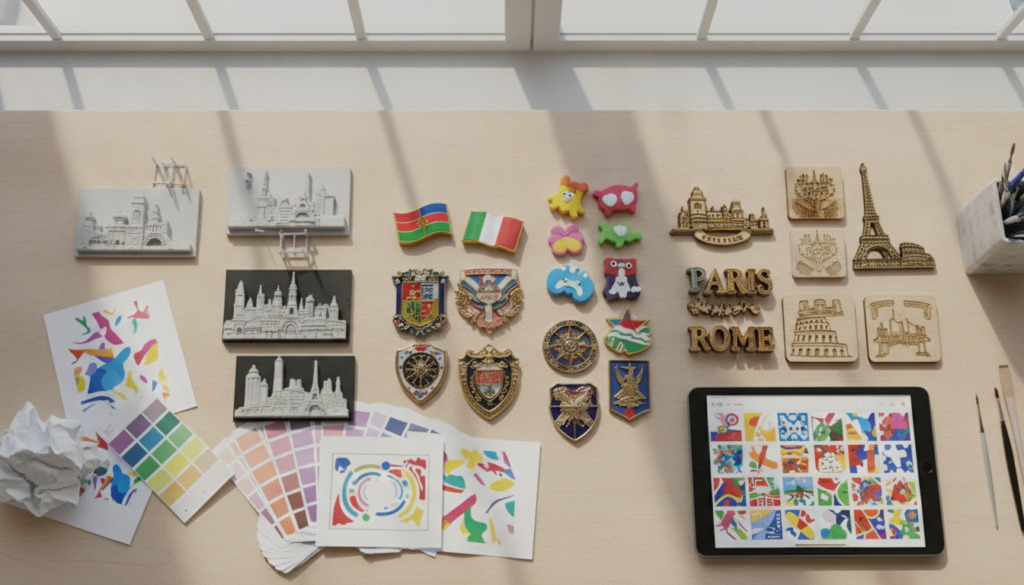
A supplier needs your custom fridge magnets design file in vector format (AI, EPS, PDF with outlined fonts) or high-resolution raster (PNG, JPG at 300 DPI minimum at final size), plus magnet dimensions, process choice (3D resin, soft PVC, metal or wood), color references, and any relief or texture notes for multi-layer designs.
📋 Table of Contents
- Executive Summary
- What file formats do suppliers accept for custom magnets?
- What resolution and quality do raster files need?
- Should you send vector or raster artwork?
- How do artwork requirements differ by magnet process?
- How should fonts and text be prepared?
- What color information does the supplier need?
- What size and dimension details are required?
- What if you only have a sketch or photo?
- Key Takeaways
Executive Summary
- Vector is preferred: AI, EPS and PDF files with outlined fonts give the cleanest die-cut shapes and sharpest text for soft PVC, metal and wood magnets.
- Raster files work when resolution is high: PNG or JPG at 300 DPI minimum at final print size prevents pixelation on 3D resin and UV-printed wood surfaces.
- Process choice drives detail requirements: 3D resin needs relief-depth notes and color-layer separation; soft PVC requires clean vector color blocks; die-cast metal uses Pantone codes for enamel; wood magnets need laser-cut outlines and engraving-depth marks.
- Fonts must be outlined or embedded: Converting text to curves before submission prevents font-substitution errors that delay sampling.
- Physical sample sign-off is mandatory: A design proof and a physical sample confirm that thin text, small color areas and multi-level relief survive production before bulk orders start.
What file formats do suppliers accept for custom magnets?
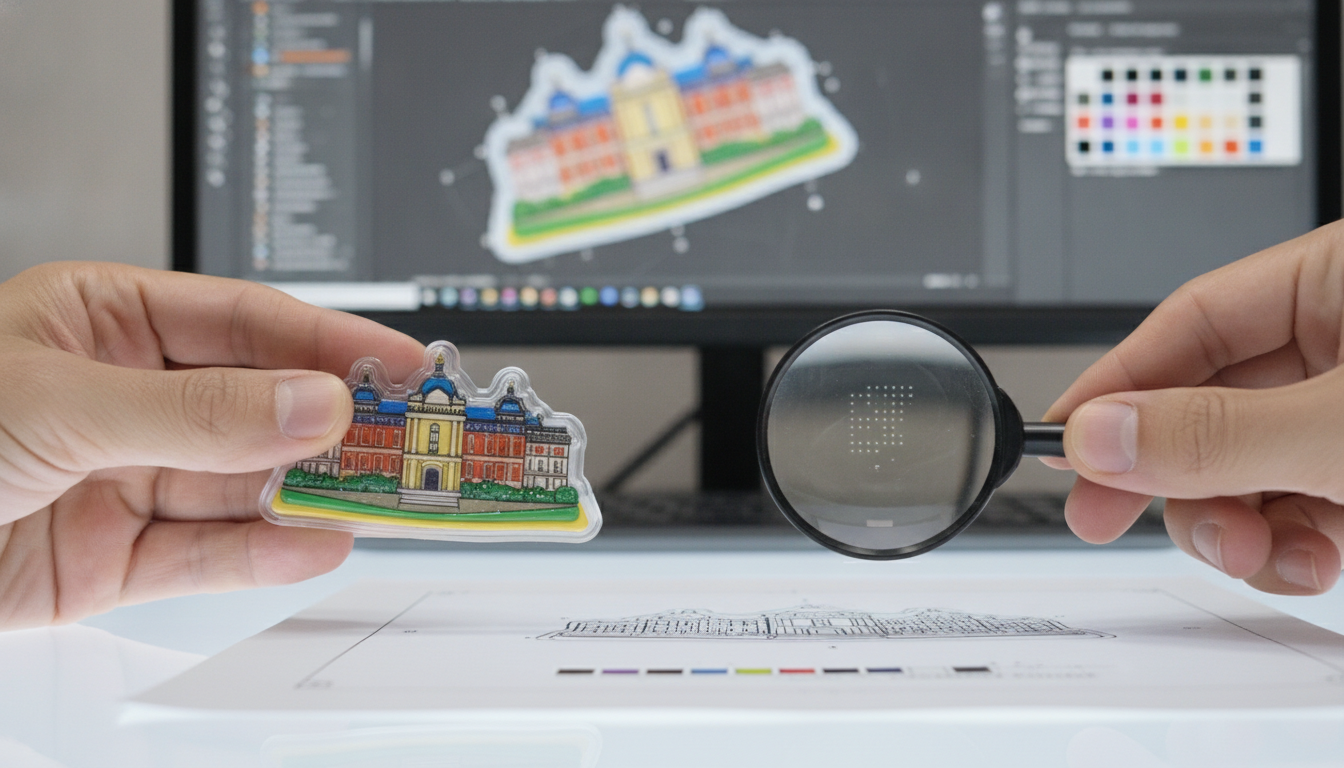
Suppliers accept AI, EPS, PDF, PNG, JPG and sometimes SVG, CDR or PSD files. Vector formats (AI, EPS, PDF) are preferred for die-cut shapes, logos and text because they scale without quality loss. Raster formats (PNG, JPG) work for photographic artwork and 3D resin magnets where the image is printed or cast into the resin layer. Some suppliers also accept layered PSD files when you need to show color separation or multi-level relief for 3D resin designs.
Vector formats for scalable artwork
AI (Adobe Illustrator) and EPS (Encapsulated PostScript) are the industry standard for custom souvenir magnet production. These formats preserve line work, text and color fills as mathematical paths, so the supplier can scale your design to any size without pixelation. PDF files are also widely accepted, but you must outline all fonts and embed images before export to prevent font-substitution errors.
- AI (Adobe Illustrator): Native Illustrator format, ideal for soft PVC and metal magnets with clean vector shapes and text.
- EPS (Encapsulated PostScript): Cross-platform vector format that most design software can open, good for die-cut outlines and logo artwork.
- PDF (Portable Document Format): Universal format, but fonts must be outlined and images embedded to avoid missing-font errors during production.
- SVG (Scalable Vector Graphics): Web-friendly vector format; some suppliers accept it, but AI or EPS is safer for complex designs.
- CDR (CorelDRAW): Common in Asia; if you use CorelDRAW, export to AI or EPS for wider compatibility.
Raster formats for photographic and 3D designs
PNG and JPG files are acceptable when your design includes photographic elements, gradients or multi-tone artwork that cannot be simplified into vector shapes. PNG is preferred over JPG because it supports transparent backgrounds and does not compress the image with lossy artifacts. For 3D resin magnets, where the artwork is printed onto a base layer before resin casting, a high-resolution raster file is often easier to work with than a vector conversion.
- PNG (Portable Network Graphics): Lossless compression, supports transparency, best for logos and artwork with solid colors on a clear background.
- JPG (JPEG): Lossy compression, no transparency; use only for photographic artwork where file size matters more than pixel-perfect edges.
- PSD (Photoshop Document): Layered raster format; useful for 3D resin designs where you need to show separate color layers, relief levels or texture notes to the production team.
In practice: A 3D resin magnet with thin text and small color areas requires a physical sample to confirm that detail survives the multi-layer pour, because raster resolution alone does not predict how fine features hold up in the casting process.
What resolution and quality do raster files need?
Raster files need 300 DPI minimum at the final printed size. Lower resolution causes pixelation and blurry edges, especially on magnets with fine text or small logos. If your magnet is 50 mm wide and your artwork is 150 pixels wide, the effective resolution is only 76 DPI, which will print poorly. Always create or export raster files at 300 DPI at the exact dimensions of the finished magnet.
How to calculate effective DPI
Effective DPI equals pixel width divided by print width in inches. A 600-pixel-wide image printed at 2 inches wide gives 300 DPI. The same 600-pixel image printed at 4 inches wide gives only 150 DPI, which is too low. Resize your artwork in Photoshop or your design software to match the final magnet dimensions before export, and set the resolution to 300 DPI or higher.
Color mode and bit depth
Save raster files in RGB color mode for digital printing and UV printing on wood magnets. CMYK mode is used for offset printing but is less common in custom magnet production. Use 8-bit color depth per channel; 16-bit or 32-bit files are unnecessarily large and some production systems cannot process them. If your design includes transparency, save as PNG with an alpha channel rather than flattening to a white background.
Buyer concern: Artwork is often rejected because it is not high enough resolution or not in a vector format, forcing extra back-and-forth before production can start.
Should you send vector or raster artwork?
Send vector artwork when your design is made of solid colors, text, logos or geometric shapes. Send raster artwork when your design includes photographs, gradients or complex textures that cannot be simplified into vector paths. For most souvenir magnets, vector artwork is preferred because it produces cleaner die-cut edges, sharper text and more accurate color fills.
When vector is the right choice
Vector artwork scales infinitely without quality loss, so it is ideal for soft PVC magnets, die-cast metal magnets and laser-cut wood magnets where the outline shape and text must be crisp. If your design is a logo, a landmark silhouette or text-based artwork, create it in Adobe Illustrator, CorelDRAW or Inkscape and export to AI, EPS or outlined PDF. Vector files also make it easier for the supplier to adjust line weights, color fills and die-cut paths during the tooling stage.
When raster is acceptable
Raster artwork is acceptable for 3D resin magnets where the design is printed onto a base layer before resin casting, and for UV-printed wood magnets where photographic detail is part of the design. If your artwork includes a photograph of a landmark, a gradient sky or a textured background, a high-resolution PNG or JPG is easier to work with than a vector trace. The supplier will still need a vector outline for the die-cut shape, but the printed detail can remain raster.
How do artwork requirements differ by magnet process?
Artwork requirements vary by production process. 3D resin magnets need relief-depth notes and color-layer separation. Soft PVC magnets require clean vector color blocks with no gradients. Die-cast metal magnets use vector line art with Pantone codes for enamel paint. Wood magnets need vector outlines for laser cutting and engraving-depth marks for recessed text or logos.
3D resin magnet artwork
3D resin magnets are cast in multiple layers to create raised relief and color separation. Your custom fridge magnets design file should show which areas are raised, which are recessed, and which colors sit on which layer. A layered PSD file or a PDF with layer notes helps the production team understand your intent. If you have a reference photo of a landmark with visible depth, include it alongside your flat artwork so the supplier can translate the 2D design into a multi-level mold.
- Relief depth notes: Mark which elements are raised (foreground text, building facades) and which are recessed (background sky, water).
- Color-layer separation: Show which colors are poured in the first layer and which are added in subsequent layers to avoid color bleed.
- Reference images: Include photos of the real landmark or object from multiple angles so the supplier can see the 3D structure.
Soft PVC magnet artwork
Soft PVC magnets are injection-molded from liquid rubber, so the artwork must use clean vector shapes with solid color fills. Gradients and fine details do not translate well into PVC because the material flows during molding and small features can merge or distort. Outline all fonts and convert text to curves before sending the file. The supplier will use your vector artwork to create a steel mold, so any imperfection in the file will appear in the finished magnet.
- Clean vector shapes: No gradients, no fine lines thinner than 0.5 mm, no small text below 3 mm height.
- Outlined fonts: Convert all text to outlines (Type > Create Outlines in Illustrator) to prevent font-substitution errors.
- Color blocks: Use solid Pantone or RGB fills; avoid overlapping colors that require precise registration.
Die-cast metal magnet artwork
Die-cast metal magnets are stamped or cast from zinc alloy or brass, then painted with enamel and plated. Your artwork should be vector line art showing the raised and recessed areas of the design. The supplier will convert your 2D artwork into a CAD relief file for mold making. Include Pantone color codes for each enamel paint area, and specify the plating finish (gold, silver, antique brass, black nickel). If your design includes fine text or small logos, ask for a physical sample to confirm that detail holds up in the casting and painting process.
- Vector line art: Show the outline and internal detail lines that will be raised or recessed in the metal surface.
- Pantone codes: Specify exact Pantone colors for enamel paint; RGB or CMYK colors are converted and may not match your screen.
- Plating finish: Note whether you want gold, silver, antique brass, copper, black nickel or other plating on the raised metal areas.
Wood magnet artwork
Wood magnets are laser-cut from plywood or MDF, then engraved and UV-printed. Your custom fridge magnets design file needs a vector outline for the laser-cut shape, engraving-depth marks for recessed text or logos, and a high-resolution raster file for any UV-printed photographic detail. The laser cutter follows the vector path to cut the magnet shape, so the outline must be a single closed path with no overlapping lines or open corners.
- Laser-cut outline: A single closed vector path with no breaks, overlaps or double lines.
- Engraving depth: Mark which areas are engraved (recessed) and how deep; typical depth is 0.5 mm to 1 mm.
- UV print areas: Supply a 300 DPI raster file for any photographic or full-color printed detail on the wood surface.
How should fonts and text be prepared?
Outline all fonts before sending your file. Converting text to outlines (also called converting text to curves or creating outlines) turns each letter into a vector shape, so the supplier does not need the original font installed on their system. If you send a file with live text and the supplier does not have your font, the text will reflow or substitute with a default font, which delays sampling and may distort your design.
How to outline fonts in design software
In Adobe Illustrator, select all text objects and choose Type > Create Outlines. In CorelDRAW, select the text and choose Arrange > Convert to Curves. In Inkscape, select the text and choose Path > Object to Path. Save the outlined version as a new file so you keep a copy with editable text for future revisions. Send the outlined file to the supplier and keep the editable version for your records.
Minimum text size by process
Each magnet process has a practical minimum text size below which letters become illegible or merge during production. For soft PVC magnets, text should be at least 3 mm tall and 0.5 mm stroke width. For die-cast metal magnets with enamel paint, text should be at least 2 mm tall. For laser-engraved wood magnets, text can be as small as 1.5 mm tall if the font is bold and sans-serif. If your design includes fine text, ask for a physical sample to confirm readability before bulk production.
What color information does the supplier need?
The supplier needs Pantone color codes for soft PVC and metal magnets, and RGB or CMYK values for printed 3D resin and wood magnets. Pantone colors are mixed from standardized ink formulas, so they match consistently across production runs. RGB and CMYK colors are device-dependent and may shift slightly between your screen, the supplier’s proof and the final printed magnet. Always include a Pantone reference when color accuracy is critical, such as matching a corporate logo or a national flag.
Pantone vs RGB vs CMYK
Pantone is a spot-color system where each color is mixed from a specific formula. Soft PVC and enamel-painted metal magnets use Pantone colors because the material is dyed or painted, not printed. RGB (red, green, blue) is used for screens and UV printing; it has a wider color gamut than CMYK but may not match your screen exactly. CMYK (cyan, magenta, yellow, black) is used for offset printing and some digital printers; it has a narrower gamut than RGB and cannot reproduce bright oranges, purples or greens as vividly.
How to ensure color accuracy
Request a design proof and a physical sample before bulk production. A design proof is a digital rendering or a printed mockup that shows how your artwork will look on the magnet. A physical sample is a finished magnet produced with your exact artwork, colors and process. Sign off on the physical sample only after you have confirmed that colors, text and relief match your specification. We produce magnets in 3D resin, soft PVC, metal and wood to your specification, and every order goes through a design proof and a physical sample sign-off before bulk production starts.
What size and dimension details are required?
The supplier needs the finished magnet dimensions (width, height, thickness), the bleed area for printed designs, and any special notes about magnet placement or backing-card size. Magnet dimensions are measured in millimeters; typical souvenir magnets range from 40 mm to 100 mm in the longest dimension. If your design includes a printed border or background that extends to the edge, add a 2 mm bleed on all sides so the print runs past the die-cut edge and prevents white gaps.
Bleed and safe area
Bleed is the extra area around your design that gets trimmed off during die-cutting. Safe area is the inner zone where you should keep important text and logos to avoid accidental cropping. A standard bleed is 2 mm on all sides; a standard safe area is 3 mm inside the die-cut edge. If your magnet is 50 mm wide, create your artwork at 54 mm wide (50 mm plus 2 mm bleed on each side) and keep text at least 3 mm away from the 50 mm cut line.
Thickness and magnet strength
Magnet thickness affects holding strength and production cost. Soft PVC and 3D resin magnets are typically 3 mm to 5 mm thick. Die-cast metal magnets are 2 mm to 3 mm thick. Wood magnets are 3 mm to 6 mm thick depending on the plywood grade. Thicker magnets hold more weight but cost more to produce and ship. The supplier will recommend a thickness based on your design size and the magnet material; confirm the thickness at quotation and test it on the physical sample.
What if you only have a sketch or photo?
Many buyers start with a hand-drawn sketch, a reference photo of a landmark, or a low-resolution logo pulled from a website. Suppliers can convert these into production-ready artwork, but the process takes longer and may require additional design fees. If you only have a sketch or photo, send it to the supplier with a clear description of your design intent, the magnet process you prefer, and the final dimensions. The supplier will create a design proof for your approval before moving to sampling.
Supplier design support
Some suppliers offer free design help if your order meets a certain size; others charge a design fee that is refunded when you place the bulk order. Design support typically includes vectorizing a logo, cleaning up a sketch, or creating a multi-layer relief file for 3D resin magnets. If your artwork is incomplete, ask the supplier what they need to create a proof: a higher-resolution photo, a clearer sketch, or a written description of the colors and text you want.
Using reference images
If your magnet design is based on a real landmark, building or object, send multiple reference photos from different angles. The supplier can use these to create a 3D relief file or a die-cut outline that captures the recognizable features of the subject. Include notes about which details are most important (a clock tower, a bridge arch, a statue pose) so the supplier knows where to focus the detail work.
Buyer concern: Buyers who only have a sketch or reference image are often told they need a cleaner production-ready file, which slows sampling and quotation.
Key Takeaways
- Vector formats (AI, EPS, PDF with outlined fonts) are preferred for die-cut shapes, logos and text on soft PVC, metal and wood magnets because they scale without quality loss.
- Raster files (PNG, JPG) must be at least 300 DPI at the final printed size to prevent pixelation on 3D resin and UV-printed wood magnets.
- 3D resin magnets need relief-depth notes and color-layer separation; soft PVC requires clean vector color blocks; die-cast metal uses Pantone codes for enamel; wood magnets need laser-cut outlines and engraving-depth marks.
- All fonts must be outlined (converted to curves) before submission to prevent font-substitution errors that delay sampling.
- Pantone color codes ensure consistent color matching for soft PVC and enamel-painted metal magnets; RGB or CMYK values are used for printed resin and wood magnets.
- A design proof and a physical sample sign-off confirm that colors, text and relief match your specification before bulk production starts.
Can I use a JPG or PNG for a custom magnet?
Yes, JPG and PNG files are acceptable when they are at least 300 DPI at the final printed size. PNG is preferred over JPG because it supports transparent backgrounds and does not compress the image with lossy artifacts. For magnets with photographic artwork or gradients, a high-resolution raster file works well, but you will still need a vector outline for the die-cut shape. If your design is a logo or text-based artwork, vector formats (AI, EPS, PDF) produce cleaner results.
Do I need vector artwork for custom fridge magnets?
Vector artwork is preferred for soft PVC, die-cast metal and laser-cut wood magnets because it produces crisp die-cut edges and sharp text. If your design includes photographs or complex textures, you can use a high-resolution raster file for the printed detail and a vector outline for the magnet shape. Suppliers can convert raster artwork to vector, but the process takes longer and may require additional design fees. If you have the option, create your design in Adobe Illustrator or CorelDRAW and export to AI or EPS with outlined fonts.
Can a supplier make custom magnets from a photo or sketch?
Yes, suppliers can convert a photo or sketch into production-ready artwork, but the process takes longer and may require a design fee. Send your photo or sketch with a clear description of your design intent, the magnet process you prefer, and the final dimensions. The supplier will create a design proof for your approval before moving to sampling. If your design is based on a real landmark or object, include multiple reference photos from different angles so the supplier can capture the recognizable features in the die-cut outline or 3D relief.
Ready to turn your design into a custom souvenir magnet?
Send your artwork for a free design proof →
Written by the Magnista export team, who coordinate design proofs, sampling and production for custom souvenir magnets.